
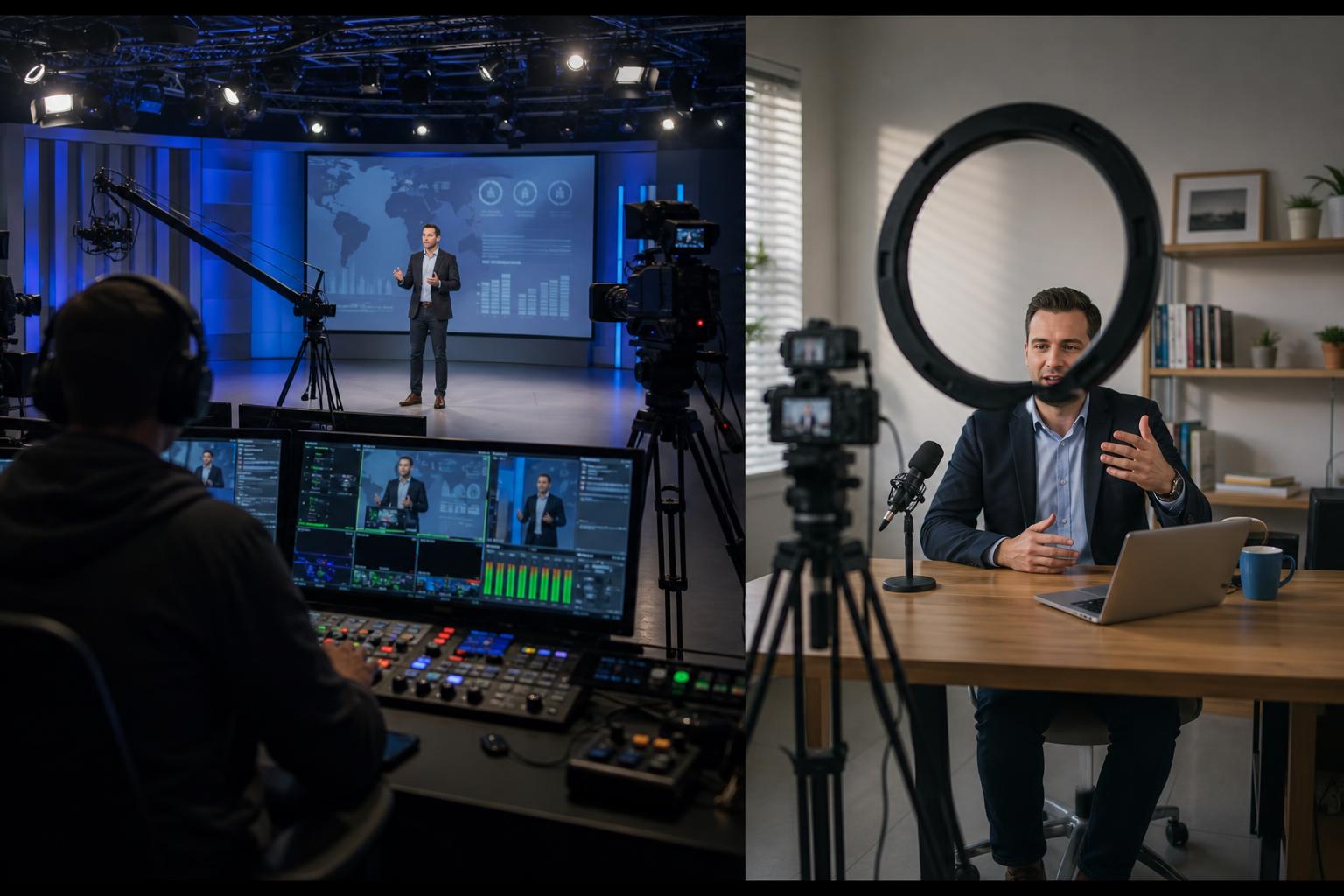
DIY webcasts and professional webcasts can both “work”, but they rarely deliver the same outcomes. The difference is not just about nicer graphics or more expensive kit. It is about reliability, audience experience, and whether the webcast supports your message rather than distracting from it.
A DIY webcast is typically built around convenience. One person hosts in Zoom or Teams, shares slides, maybe plays a video, and streams to a single destination. It can be a sensible option for internal updates, informal sessions, or low-risk meetings where the stakes are modest and the audience is forgiving.
A professional webcast is designed like a live broadcast. It is planned, produced, and mixed in real time. Multiple live feeds can be brought in remotely, slides and pre-recorded packages are cued accurately, titles and captions are consistent, and the whole programme is streamed to the right platforms with monitoring and support. The result is a more polished, more predictable experience for viewers and presenters alike.
Below are the key differences that matter most in practice.
1) Planning and run-of-show versus “we’ll see how it goes”
DIY webcasts often rely on a rough agenda and improvisation. That can be fine until timings slip, a speaker goes long, or a video fails to play with sound. Professional webcasts are built around a run-of-show: who is speaking when, what is on screen, when transitions happen, what the audience sees during pauses, and what the contingency plan is if something changes. This structure keeps the event moving and protects the viewer experience.
2) Production values that support clarity (not just aesthetics)
Production quality is not about making something “flashy”. It is about making content easier to follow. Clean on-screen titles reduce confusion about who is speaking. Captions and lower-thirds help viewers join mid-way without feeling lost. Clear slide legibility, consistent layouts, and well-timed cutaways help audiences stay engaged, especially on smaller screens.
3) Audio quality: the most underestimated factor
Viewers will tolerate a slightly soft picture, but they switch off quickly when audio is inconsistent, echoing, or distorted. DIY setups commonly involve laptop microphones, noisy rooms, and uneven levels between speakers and videos. Professional webcasts prioritise audio: guidance for speakers, level management, and mixing so that voices, VT (pre-recorded video), music stings, and remote contributors sit comfortably together.
4) Multi-speaker management and remote contributions
DIY is manageable with one or two confident presenters. It becomes fragile with panels, Q&A, guest speakers joining from different locations, or last-minute changes. Professional production handles multiple live Zoom feeds, manages who is live at any moment, and maintains pace with smooth transitions. Speakers can focus on content while the production team handles the mechanics.
5) Graphics, captions, slides, and video playback that behave predictably
In DIY webcasts, slide sharing can reduce video quality, and playing a video “through Zoom” can introduce sync problems, low resolution, or missing audio. Professional workflows cue slides and VT as dedicated sources, so they appear crisp, play reliably, and can be mixed with picture-in-picture, titles, and speaker feeds. This is particularly important for product demos, training, investor updates, and any event where detail matters.
6) Interactivity that is intentional, not distracting
Polls, Q&A, chat moderation, audience prompts, and calls to action can make a webcast more effective, but only if they are planned. DIY events often bolt interactivity on mid-stream, which can derail the schedule or overwhelm the presenter. Professional webcasts design interactivity into the format: clear instructions for viewers, moderation, and on-screen cues that keep it orderly and inclusive.
7) Resilience: what happens when something goes wrong
Every live event has risks: a speaker’s internet drops, a laptop updates at the worst time, a link is incorrect, or a platform behaves unexpectedly. DIY webcasts usually have a single point of failure and limited ways to recover. Professional webcasts build in resilience: backup contributors, alternative playback options, redundant connections where appropriate, and a team monitoring the stream and audience experience in real time.
8) Brand and trust
A webcast is often the closest thing to a live stage your audience will experience. When the event feels disorganised or technically shaky, it subtly affects credibility, even if the content is strong. Professional production helps your brand come across as prepared and trustworthy, which is especially important for customer-facing announcements, public sector communications, thought leadership, and high-profile stakeholder events.
When DIY can be the right choice
DIY webcasts can be ideal when the event is informal, internal, short, and low-risk; the audience is small; and the consequences of a hiccup are minor. They can also be a good stepping stone while you learn what your audiences respond to.
When professional production pays off
Professional webcasting is usually worth it when you have a large or public audience, multiple speakers, complex content, or a need for consistent delivery. It is also valuable when the webcast is part of a wider campaign and you want reusable assets: clean recordings, highlight clips, and a consistent look and feel for future events.
The simplest way to decide is to ask one question: if the webcast goes slightly wrong, what does it cost you in credibility, time, and opportunity? If the answer is “more than we’d like”, professional support is a practical safeguard rather than a luxury.
If you want your next webcast to feel calm behind the scenes and polished on screen, explore our live remote webcasting and video services at https://enbecom.tv and get in touch to discuss your format, speakers, platforms, and the level of production that fits your goals.